Switching apps or leaving a spreadsheet
Bring your shared expenses with you, from a CSV file
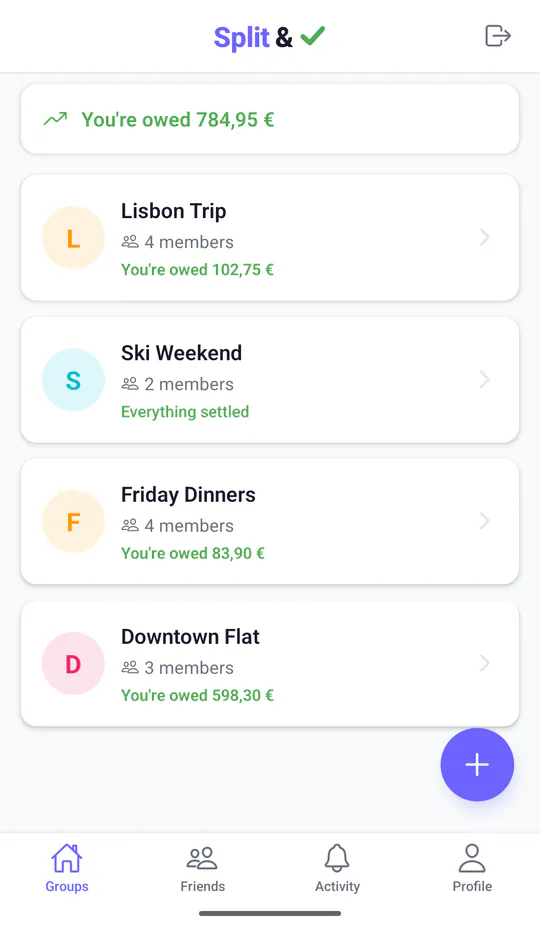
Changing apps shouldn't mean starting from zero. If your current app or spreadsheet exports a CSV, Split & Done imports it into a new group: every expense with its date, category, currency and who paid.

Free · No ads · Android & web On iPhone? Add it from Safari
Why switching usually means losing your history
Groups stay with a tool they don't like because the history lives there: months of rent and bills, a whole trip of dinners, balances nobody wants to work out again by hand.
Split & Done checks the file before anything is saved. You see which rows can't be imported and why, you choose who each person is, and nothing changes until you confirm. The import is all or nothing, so a half-imported group can't happen.
Just one bill? Split bill calculator
How the import works
-
Export a CSV
From your current app or spreadsheet: one row per expense with date, description, category, cost and currency, then one column per person.
-
Choose who each person is
For every person in the file, pick yourself, one of your friends, or someone without an account.
-
Review before saving
Rows that can't be imported are listed with the reason. Nothing is saved until you confirm.
-
Pick up where you left off
Your expenses land in a new group with the balances already worked out. Rename it, invite the others and keep going.
Importing from CSV: common questions
Which CSV layout does Split & Done import?
A header row, then one row per expense: date, description, category, cost and currency, followed by one column per person with their net amount for that expense, positive for what they paid and negative for their share. Commas and semicolons both work as separators.
How big can the file be?
Up to 5,000 movements, 100 people and 2 MiB per file. For a larger history, split it into several files.
What if the import is interrupted?
If an import can't be confirmed, for example because the connection dropped, you can retry it without duplicating anything.
Where do I import a CSV?
In Profile, under Import from CSV, on Android and on the web.
More ways to use Split & Done
-
Group trips
Travel expenses like flights, rooms, dinners and taxis, each paid by someone different — in more than one currency if you cross a border. Settle up once you're home.
-
Friends
Dinners, concerts, birthday presents. Split the bill with friends and keep a running tab, instead of settling up every time.
-
Couples
Share costs 50/50 or by percentage, whatever feels fair to you both, without keeping score in your head.
-
Roommates
Split rent, bills, groceries and cleaning supplies. Everyone sees what's been paid and what's still owed, month after month.

Your history, in a clearer place.
Create your free account and import your CSV from your profile.
Free · No ads · Android & web On iPhone? Add it from Safari