No spreadsheets on the trip
Split travel expenses without the end-of-trip math
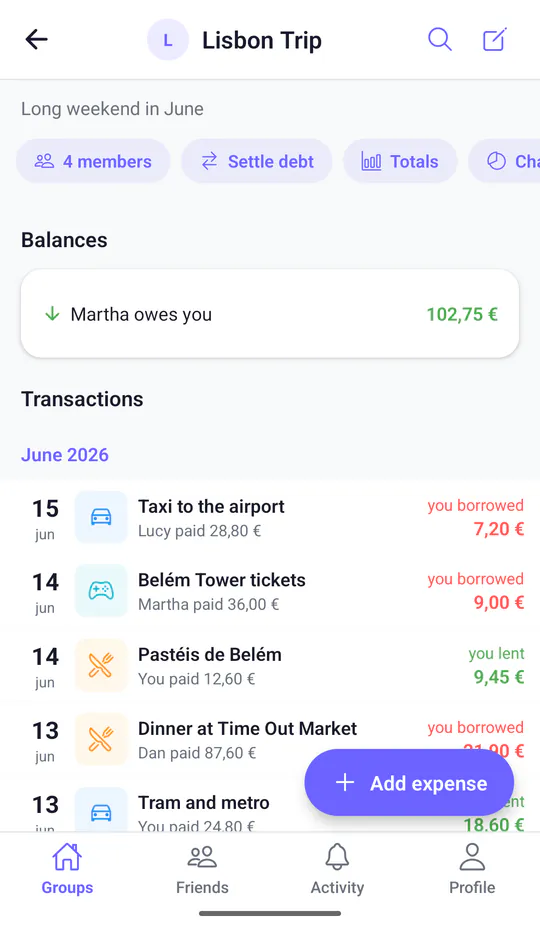
Flights, rooms, dinners and taxis get paid by whoever has their card out first. Add each expense as it happens, in its own currency, and Split & Done keeps track of who owes whom across the whole group.

Works in your browser and on Android. Coming soon on iOS
Why group trip expenses get messy
On a trip, money moves fast. One person books the apartment, another pays for the rental car, and someone covers dinner because the card machine only took their card. A week later, nobody remembers who paid for the museum tickets.
Cross a border and it gets harder: part of the trip is in euros, part in dollars or pounds. Settling up at the end means digging through receipts, chats and banking apps, and someone always ends up doing the math for everyone.
How Split & Done handles a group trip
-
Every expense in its own currency
Add the taxi in euros and the hotel in dollars. Each currency keeps its own balance, and Split & Done doesn't convert between them, so amounts stay exactly as paid.
-
Friends without the app still count
Add travel companions by name and include them in any split. The rest of the group keeps their share up to date.
-
See where the money went
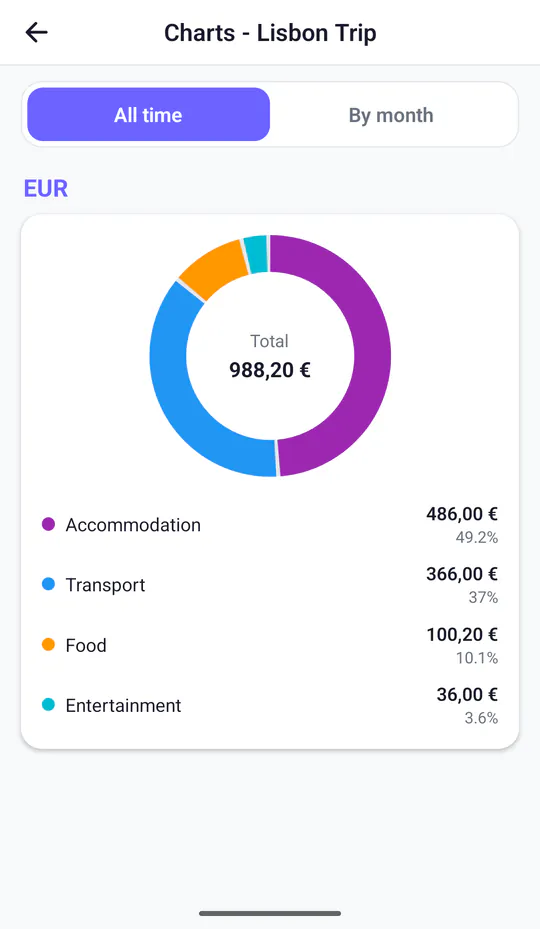
Charts by category show how much went on accommodation, transport, food and entertainment, for the whole trip or month by month.
-
Settle up once, back home
Balances update as you go. Back home, everyone pays what they owe however they like, and you record it so the group reaches zero.
Group trip expenses: common questions
How do you split expenses on a trip with friends?
Create a group for the trip, invite everyone with a link and add each expense when it happens: who paid, how much and who it was for. Split & Done keeps the balances, so at the end everyone knows what they owe.
What if we pay in different currencies?
Add each expense in the currency you paid in. Each currency keeps its own balance and Split & Done doesn't convert between them, so every balance stays in the currency you actually used.
Does everyone need to install the app?
No. You can add people by name and include them in expenses. Split & Done also works in any browser, and as an app on Android.
More ways to use Split & Done
-
Friends
Dinners, concerts, birthday presents. Split the bill with friends and keep a running tab, instead of settling up every time.
-
Couples
Share costs 50/50 or by percentage, whatever feels fair to you both, without keeping score in your head.
-
Roommates
Split rent, bills, groceries and cleaning supplies. Everyone sees what's been paid and what's still owed, month after month.

Plan the trip. Split the costs.
Create the group before you leave and add expenses as you go.
Works in your browser and on Android. Coming soon on iOS